Contoh KAK Kerjasama

12 Maret 2011

TUJUAN, DAN SASARAN
2.1. Tujuan
Dengan adanya kerjasama ini diharapakan pihak BPKS mendapatkan :
1. Bimbingan teknis pengawasan penyelenggaraan keuangan Negara.
2. Tata cara inventarisasi barang milik Negara.
3. Sosialisasi peraturan perundang-undangan bidang pengelolaan keuangan dan pengawasan penyelenggaraan keuangan Negara.
4. Sistem evaluasi kinerja.
5. Penjelasan standar kompetensi auditor.
2.2. Sasaran
Sasaran yang ingin dicapai adalah sebagai berikut :
1. Terpenuhinya Bimbingan teknis pengawasan penyelenggaraan keuangan Negara.
2. Terpenuhinya tata kelola manajemen keuangan dan asset Negara.
3. Terosialisasinya peraturan perundang-undangan bidang pengelolaan keuangan dan pengawasan penyelenggaraan keuangan Negara.
4. Terpenuhinya standar sistem evaluasi kinerja.
5. Meningkatnya kemampuan auditor yang berkompeten, professional, efektif dan efesien.

Download Here

Contoh DED Jalan dan Jembatan

MAKSUD, TUJUAN DAN SASARAN
2.1. Maksud
Memberikan kesimpulan teknis terhadap pembangunan Jalan Poros Balohan – Teluk Sabang
sehingga diharapkan akan didapatkan Tahapan Perencanaan Rinci yang meliputi : semua
pekerjaan survei yang diperlukan, sesuai dengan klasifikasi sebagai jalan utama, dan karakteristik
lalu lintas, perencanaan geometrik, dan perkerasan jalan.
2.2. Tujuan
Untuk menghasilkan dokumen perencanaan sebagai pelaksanaan konstruksi pembangunaan
Jalan Poros Balohan – Teluk Sabang.
2.3. Sasaran
Tersusunnya desain rinci dan spesifikasi yang ditujukan untuk memenuhi kebutuhan dokumen
teknis dalam pelaksanaan tender dan pelaksanaan konstruksi

Download Here

Folder Protect 1.8.9 Software + Crack

Folder Protect offers 'Data in Use' security for your important files, folders, drive and programs. It lets you choose whether you want to write protect, delete protect, access protect or hide your data. The program also offers Safe Mode locking, stealth mode and hotkeys, auto-protection and password prompt on access of protected item. Folder Protect offers features that sets it apart from other password protection software.

Benefits of Using Folder Protect:
Imagine a possibility where you define the meaning of ‘Data Security’. Imagine a possibility where you can prevent your documents from getting deleted by your school going brother; prevent your employees from modifying your source codes; prevent the computer repair guys to use your favorite applications; prevent your friends from messing around with your copyright material; prevent viruses from accessing your important files. All these are real life scenarios and the main cause of worry in an organization or a PC user in general.

• Folder Protect is designed with you in mind. It is a user-centered, policy driven access control and password protection tool to meet your everyday needs. Put it simply, it is a highly customizable methods of securing your data, the way you always wanted. With lots of access levels and flags, you can protect your data anyway you want.

• Folder Protect with its unmatched features, comes with an even easier to use interface. When you start the application, you see a simple two steps Wizard, where you decide what you wish to protect and how you want to protect it. The program, based on your choices then creates an invisible boundary across your protected items, in which you are in full control of where and how the protected itemis treated in an unlikely event. Set any or all of the protections flags i.e. ‘No Access’, ‘No Visible’, ‘No Write’ and ‘No Delete’ and the program will know what’s in your mind.

Block Access to your Files:
• With Folder Protect you can block unauthorized access to your files, folders, drives and programs. It prevents your data from being accessed, misused, moved, altered or deleted. All of your protected items can be seen by others but remain inaccessible without your password.

Hide your Data from Other Users:
• You can hide all of your personal as well as professional documents and information with Folder Protect. Hide your family photos, financial records, personal letters, passwords, company’s projects, source code, and other intellectual property in such a way that no one will ever know that they exist. Only you can access hidden files and folders by typing exact path in Windows Explorer, RUN or by using DOS command.

Don’t Allow Anyone to Modify your File:
• Folder Protect is designed in such a way that it fulfills all of your needs and requirements. You can make your files write-protected with Folder Protect and protect them from getting modified or edited, so that no one can make redundant changes in it.

Protect your Data from Deletion:
• No worries about your data being accidentally lost or deleted. Folder Protect allows you make your files and folder delete-proof. This helps you sharing your data with others without worrying about it getting deleted or lost, isn’t it amazing?

Take Control of your Files:
• Folder Protect lets you take control of your data by allowing you customize levels of security. It is a unique security software that offers ‘Data in Use’ protection and lets you choose how do you want to protect your data. You can also choose to have a password prompt or access denied message when someone clicks on protected item.

Protect Files in Safe Mode:
• Now with Folder Protect you can protect and unprotect your data even in Safe Mode! This is a matchless feature and ensures maximum protection of your data. No matter if your system is booted in safe mode, your protected items will remain 100% secure!

Get Your Files Protected Automatically:
• You left your PC for a while and your neighbor deleted your important project file…. Don’t want this to happen again? Password Protect folders and files with Folder Protect! Its Auto Protection lets you set an idle  time after which your data will get protected automatically.

Maintain your Secrecy:
• If you don’t want anyone to know that you are using a security software, you can run the program in complete stealth by setting a hotkey. Stealth Mode removes all the traces of the program from Desktop, Quick Launch, Start Menu, Add / Remove programs item and context menu in Explorer. Simply press your hotkey to launch the program.

Strong Access Control:
• Folder Protect brings innovation in data security by allowing its users to set accessibility rights for the protected items according to their own feasibility. It is an easy to use program that lets you protect and unprotect items through Windows Context Menu without the need to run the program first.

Installation :-
--------------------
1. Unpack
2. Install
3. Run Crack
3. Enjoy it !!!!!!!!!
Download here

The Body Has a Mind of Its Own: How Body Maps in Your Brain Help You Do

6 Maret 2011

The Body Has a Mind of Its Own: How Body Maps in Your Brain Help You Do

Random House
Sandra Blakeslee and Matthew Blakeslee
2008
ISBN: 158836-812-6
240 pages
PDF
2 MB

What do golfer's yips, the ability to see auras and the hypnotic appeal of video games all have in common? Each arises from the brain's body map. New York Times science contributor Sandra Blakeslee and her son, science writer Matthew Blakeslee, begin with a quick overview of the sense of touch. According to the Blakeslees, body maps are created by the brain, using touch, to spell out the brain's experience of the body and the space around it.

These maps expand and contract to include objects such as clothing, tools or even your car. Some of the more interesting subjects the Blakeslees cover include muscle tone disorders, phantom limb sensations in amputees and the inaccurate body images associated with anorexia. Sketches and sidebars explore topics in more detail, while a glossary explains technical terms. With its breezy this is so cool style, this entertaining book will appeal to readers who prefer their science lighthearted and low-key...............

Download Here
 

Avatar Screensaver

free download Beautiful Ocean Sunset Screensaver

Download and Enjoy this FREE SCREENSAVER
 

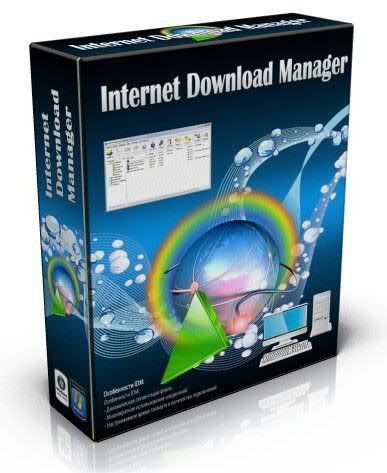
Free Download Internet Download Manager v6.04.3 - Crack

Internet Download Manager : The fastest download accelerator
Internet Download Manager (IDM) is a tool to increase download speeds by up to 500 percent, resume and schedule downloads. Comprehensive error recovery and resume capability will restart broken or interrupted downloads due to lost connections, network problems, computer shutdowns, or unexpected power outages. Simple graphic user interface makes IDM user friendly and easy to use.

Internet Download Manager has a smart download logic accelerator that features intelligent dynamic file segmentation and safe multipart downloading technology to accelerate your downloads. Unlike other download accelerators and managers that segment files before downloading starts, Internet Download Manager segments downloaded files dynamically during download process. Internet Download Manager reuses available connections without additional connect and login stages to achieve better acceleration performance.

Internet Download Manager supports proxy servers, ftp and http protocols, firewalls, redirects, cookies, directories with authorization, MP3 audio and MPEG video content processing, and a large number of directory listing formats. IDM integrates seamlessly into Microsoft Internet Explorer, Netscape, MSN Explorer, AOL, Opera, Mozilla, Mozilla Firefox, Mozilla Firebird, Avant Browser, MyIE2, and all other popular browsers to automatically handle your downloads. You can also drag and drop files, or use Internet Download Manager from command line. Internet Download Manager can dial your modem at the set time, download the files you want, then hang up or even shut down your computer when it's done.

Key features of Internet Download Manager:

* All popular browsers and applications are supported! Internet Download Manager supports all versions of popular browsers, and can be integrated into any 3rd party Internet applications.
* Download with one click. When you click on a download link in a browser, IDM will take over the download and accelerate it. IDM supports HTTP, FTP and HTTPS protocols.
* Download Speed. Internet Download Manager can accelerate downloads by up to 5 times due to its intelligent dynamic file segmentation technology.
* Download Resume. Internet Download Manager will resume unfinished download from the place where they left off.
* Simple installation wizard. Quick and easy installation program will make necessary settings for you, and check your connection at the end to ensure trouble free installation of Internet Download Manager
* Automatic Antivirus checking. Antivirus checking makes your downloads free from viruses and trojans.
* Advanced Browser Integration. When enabled, the feature can be used to catch any download from any application. None of download managers have this feature.
* Built-in Scheduler. Internet Download Manager can connect to the Internet at a set time, download the files you want, disconnect, or shut down your computer when it's done.
* IDM supports many types of proxy servers. For example, IDM works with Microsoft ISA, and FTP proxy servers.
* IDM supports main authentication protocols: Basic, Negotiate, NTLM, and Keberos. Thus IDM can access many Internet and proxy servers using login name and password.
* Download All feature. IDM can add all downloads linked to the current page. It's easy to download multiple files with this feature.
* Customizable Interface. You may choose the order, and what buttons and columns appear on the main IDM window.
* Download Categories. Internet Download Manager can be used to organize downloads automatically using defined download categories.
* Quick Update Feature. Quick update may check for new versions of IDM and update IDM once per week.
* Download limits. Progressive downloading with quotas feature. The feature is useful for connections that use some kind of fair access policy (or FAP) like Direcway, Direct PC, Hughes, etc.
* Drag and Drop. You may simply drag and drop links to IDM, and drag and drop complete files out of Internet Download Manager.
* IDM is multilingual. IDM is translated to Arabic, Bosnian, Bulgarian, Chinese, Croatian, Czech, Danish, Dutch, French, German, Hungarian, Italian, Japanese, Lithuanian, Macedonian, Polish, Portuguese, Romanian, Russian, Slovenian, Spanish, Thai languages.

What's new in version 6.04 Build 3:
* Added support for several browsers
* Improved compatibility with Proxomitron web filter
* Added full support for 64-bit browsers
* Improved web players detection for some sites
* Fixed bugs
Download Here

Situs Download dan Share Video Gratis

Free Video donwload and Upload

Blip.tv VideoEgg Dailymotion YouTube Veoh Google Video Grouper Jumpcut AOL Eyespot Addictingclips, BallOfDirt Blastrop Blinkx Bolt Break CastPost Clipfish ClipShack Crunchyroll Current TV Dabble Daum DropShots Eefoof EngageMedia Evtv1 ExpertVillage Filecow FlickDrop Fligz Flixya Flurl GodTube Gofish GUBA HomeMovie iFilm JibJab LiveVideo Lulu TV ManiaTV Metacafe Motionbox MSN Soapbox Myspace MyVideo OneWorldTV Openvlog Ourmedia Pandora TV Panjea Peekvid Phanfare Pickle Putfile Revver SceneMaker Sharkle Stage6 Sumo TheVideoSense Tudou Twango UVU Video Sharing Veoh Video Webtown VidiLife Vimeo vMix Vobbo Vodpod Vsocial Webshots Woomu Yikers You are ZippyVideos zooppa